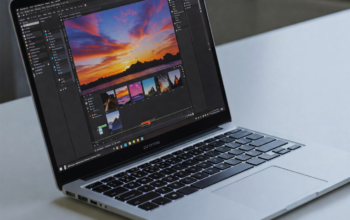
Creating a photo collage is an art form that allows individuals to tell a story through images. A well-crafted collage not only showcases memorable moments but also serves as a unique piece of decor or a thoughtful gift. To create the ultimate photo collage, start by selecting a theme and gathering a variety of images that complement one another.
Using a mix of photographs can enhance the emotional impact of the collage. Different textures and sizes of images add visual interest and depth, transforming a simple collection of photos into a cohesive work of art. Attention to design elements, such as colour schemes and layouts, can further elevate the final outcome.
Whether capturing a special occasion or simply celebrating everyday life, a photo collage invites creativity. With the right approach and inspiration, anyone can create a stunning visual narrative that resonates with viewers.
Essential Planning for Your Photo Collage
Strategic planning is crucial for creating an impactful photo collage. Focus on selecting the right photos, choosing a suitable layout, and ensuring colour harmony to achieve the best results.
Choosing the Right Photos
Selecting photos is the foundation of any successful collage. Start by considering the theme and purpose of the collage. For instance, if it’s a birthday celebration, include candid moments that capture joy.
Next, focus on high-resolution images. Crisp photos ensure clarity when printed or displayed. A mix of different types, such as portraits, landscapes, and candid shots, will add variety and interest.
Finally, create a mood board to visualise how different photos will work together. This will help in identifying any potential clashes or overlaps in style.
Selecting a College Layout
The choice of collage layout can significantly impact the presentation of photos. Various options are available, from classic grids to more artistic arrangements. A photo grid collage offers a structured approach that is easy to follow.
Consider using design software like Photoshop to experiment with different layouts. This allows for flexibility and adjustments before finalising the arrangement. Balance is key; ensure that larger images are paired with smaller ones to create visual interest without overwhelming the viewer.
Arrange photos according to their visual weight and content to maintain harmony in the layout. For families, thematic sections can be effective to categorise memories.
Matching Colours and Themes
Colour harmony enhances the aesthetics of the collage. Begin by identifying a colour palette that complements the chosen photos. Using consistent hues across images creates a unified look.
Incorporate theme elements to enhance storytelling. For example, if the collage is about travel, earthy tones may resonate with nature photographs, while vibrant colours could suit energetic city scenes.
Consider background colours as well. A neutral backdrop allows for photos to stand out, while a bold background can add personality. Testing colour combinations in Photoshop can help refine choices before the final compilation.
Tools and Software for Crafting Photo Collages
Creating photo collages requires the right tools and software. A variety of options exist, ranging from user-friendly collage makers to more advanced software, accommodating different skill levels and needs. This section explores the key tools available for crafting stunning photo collages.
Comparing Collage Makers and Software
College makers vary significantly in functionality and ease of use. Software like Canva offers a drag-and-drop interface, making it accessible for beginners. It includes a vast library of collage templates and stock images, streamlining the design process.
In contrast, more advanced software such as Adobe Photoshop allows for detailed customisation but has a steeper learning curve. For someone seeking simplicity, TurboCollage might be a better fit, providing preset layouts with minimal effort.
When comparing these tools, it is crucial for users to assess their specific needs. Those looking for professional-quality collages may prefer advanced editing software, while casual users might find satisfaction in simpler, template-driven options.
To see how these choices translate into a cohesive online presence, it helps to study actual portfolios that prioritize imagery and layout. For example, designers often reference sites like jusomong.com to observe how galleries are sequenced, captions are paired with images, and negative space is used to frame work.
Noticing these small editorial decisions can inform template selection or guide tweaks in typography and margins. Applying similar principles when building a collage ensures the final piece reads as intentional work rather than a random assembly.
Using Templates and Collage Creators
Templates are essential for efficient collage creation. Many platforms, including Google Photos, offer pre-designed templates that allow users to simply upload images and adjust layouts effortlessly.
Collage creators typically present a range of design options to fit various themes and occasions. Users should look for software that provides a diverse selection of templates, ensuring their collages are visually appealing and personalised.
Additionally, some platforms enable users to edit templates, allowing modifications to colours, fonts, and backgrounds. This flexibility is beneficial for creating unique collages that stand out.
Mobile Apps and Online Options
Mobile apps and online tools have transformed how individuals create photo collages. Applications such as Pic Collage and CollageIt are particularly popular, offering easy-to-use interfaces and practical features for users on the go.
Many of these apps sync with cloud storage services, making it simple to access photos from various devices. Online options such as Fotor and BeFunky provide comprehensive online editors, enabling users to create collages without downloading software.
When selecting a mobile app or online tool, it is important for users to consider compatibility with their devices and the features that meet their needs. A user-friendly interface can significantly enhance the overall collage-making experience.
Design and Customisation Techniques
Effective design and customisation can elevate a photo collage from ordinary to exceptional. Key techniques involve applying filters, using advanced editing tools, adjusting borders, resizing images, and incorporating various stickers and graphics to enhance visual appeal.
Applying Filters and Effects
Filters and effects play a crucial role in setting the mood of a collage. Users can choose from an array of preset filters that can enhance colours, create a vintage effect, or give a black-and-white look. Adjusting transparency and blending modes allows for unique layering, providing depth to the images.
It is essential to experiment with different effects. Subtle changes can significantly impact the final look. For advanced users, software like Adobe Photoshop offers extensive options to manipulate photos further. By adding shadow or glow effects, one can create focal points that draw the viewer’s eye.
Advanced Editing Tools
Sophisticated editing tools enable users to perform detailed modifications. Cropping allows for the removal of unwanted elements, while resizing ensures images fit perfectly within the collage layout. Users can adjust image formats for optimal quality and compatibility.
Advanced users benefit from features like distortion controls. This allows them to warp images creatively for dynamic visuals. Adjustment layers can be employed to tweak brightness, contrast, and colour balance without altering the original photo directly.
Customising Borders and Resizing
Customising borders enhances the overall presentation of a collage. One can modify border width and style, ranging from solid lines to ornate designs. This detail frames the images beautifully and adds a professional touch.
Resizing images accurately is vital for a cohesive appearance. It is crucial to maintain the aspect ratio to prevent distortion. Tools available in most editing software allow for precise adjustments, ensuring that each image contributes harmoniously to the collage.
Incorporating Stickers and Graphics
Adding stickers and graphics injects personality into a photo collage. They can range from simple icons to intricate illustrations. Users should choose elements that complement the theme of the collage for better coherence.
Graphics can also serve as visual markers, guiding the viewer’s attention. When incorporating these items, one must consider their placement and size to maintain balance. Transparency effects can help blend stickers into the collage without overpowering the main images.
Creative Ideas and Sharing Your College
Crafting a unique photo collage requires innovative approaches to design and sharing options that can engage a wider audience. Here are a few creative ideas to inspire the perfect collage, alongside methods to share it effectively.
Innovative College Styles
Exploring various styles can elevate a photo collage from ordinary to extraordinary. Consider experimenting with mixed media techniques, incorporating textures and materials beyond just photographs. For digital collages, popular configurations include circle and hexagon arrangements, which create a modern, geometric look.
Another idea is the photo pile method, where images overlap for a more casual feel. This style is perfect for capturing the spontaneous energy of events. Implementing a picture grid layout can establish balance while allowing for clear photo positioning. Each style offers a distinct aesthetic, making it easy to match the collage to its intended theme.
Personalised and Event-Based Collages
Personalising collages based on specific events can make them more meaningful. For instance, creating a birthday collage might include snapshots from past celebrations, ensuring that it reflects fond memories.
Incorporating themed elements, such as balloons or cake motifs, can enhance the festive feel. Event-based collages can also serve as a visual narrative. By curating photos that represent key moments throughout the day, the collage can encapsulate the spirit of the occasion.
Additionally, using a collage poster format allows for larger displays, perfect for presentations at parties or gatherings. Such personal touches deepen the emotional impact and create memorable keepsakes.
Exporting and Sharing on Social Media
Once the collage is complete, sharing it is crucial for reaching a broader audience. Most digital collage platforms make exporting easy, allowing users to save files in formats compatible with social media.
For maximum engagement, it’s advisable to use high-resolution images to avoid pixelation when sharing. Platforms like Instagram and Facebook are ideal for showcasing colourful art collages. Using relevant hashtags increases discoverability, helping friends and communities find these creations easily.
Sharing through stories or posts can invite comments and interactions, fostering a sense of connection. Engaging with the audience by responding to comments can further enhance community engagement, making the collage-sharing experience more interactive.